Choose the starting point
Start from store events, custom events, schedules or the API. Your integration and available data determine what you can use.
000° Email automation
Build visual workflows that respond to customer activity. Connect events, conditions and emails in communications you can track.
Illustrative scenario; configure conditions and check the required consent.
090° From idea to outcome
Start from store events, custom events, schedules or the API. Your integration and available data determine what you can use.
Combine emails, waiting periods and conditions in the visual editor. Branch based on contact data and actions.
Check workflows with test runs and keep version history. Follow executions to understand each contact’s path.
Start from store events, custom events, schedules or the API. Your integration and available data determine what you can use.
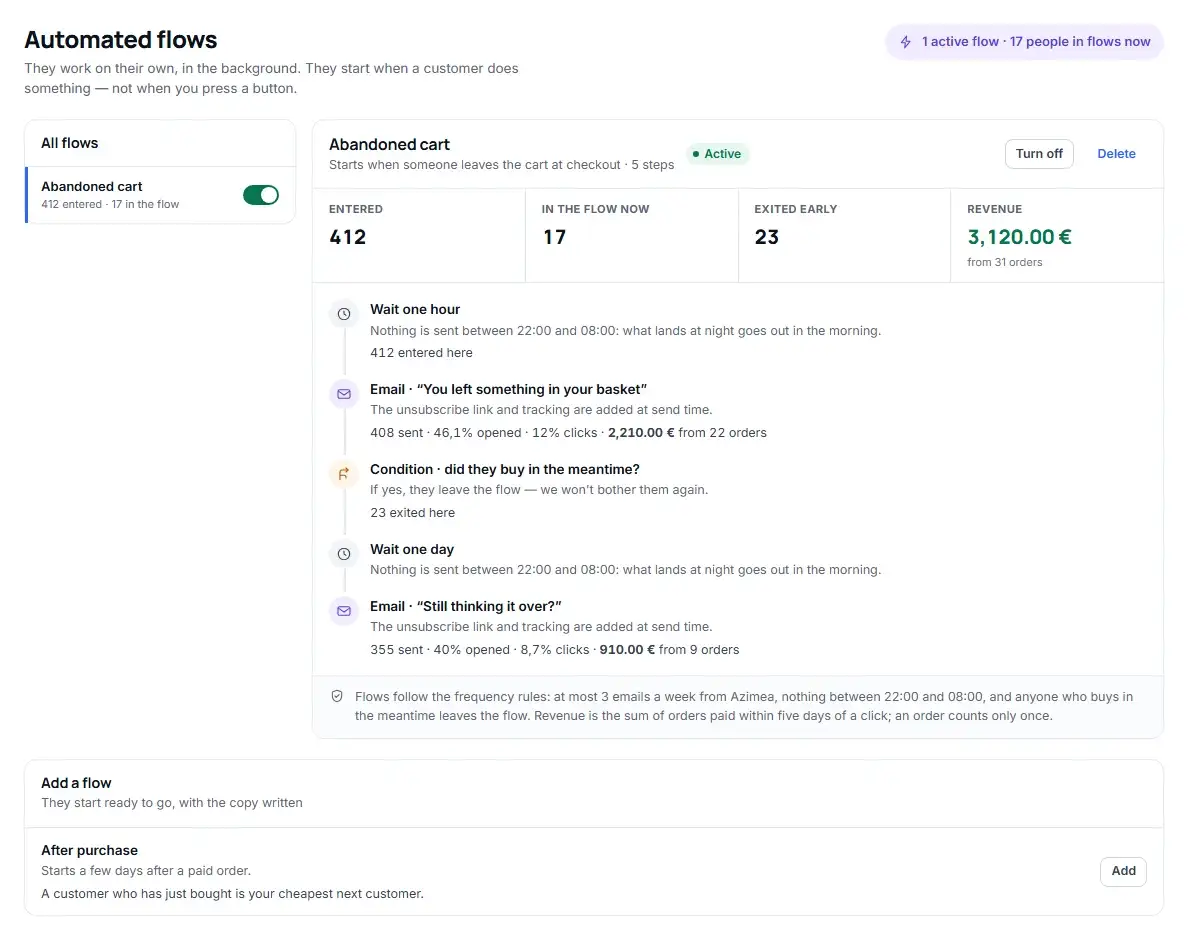
Yes. Change messages, conditions and waiting periods. The abandoned cart and post-purchase pages offer two concrete starting points.
Feature availability and limits depend on your plan and account configuration. View plans →
000° Start today
Create your account, connect your data and prepare your first customer communication.