How a No Code Visual Email Editor Should Work
A no code visual email editor helps teams create polished, relevant campaigns faster, with reusable blocks, data, and the right review controls built-in.
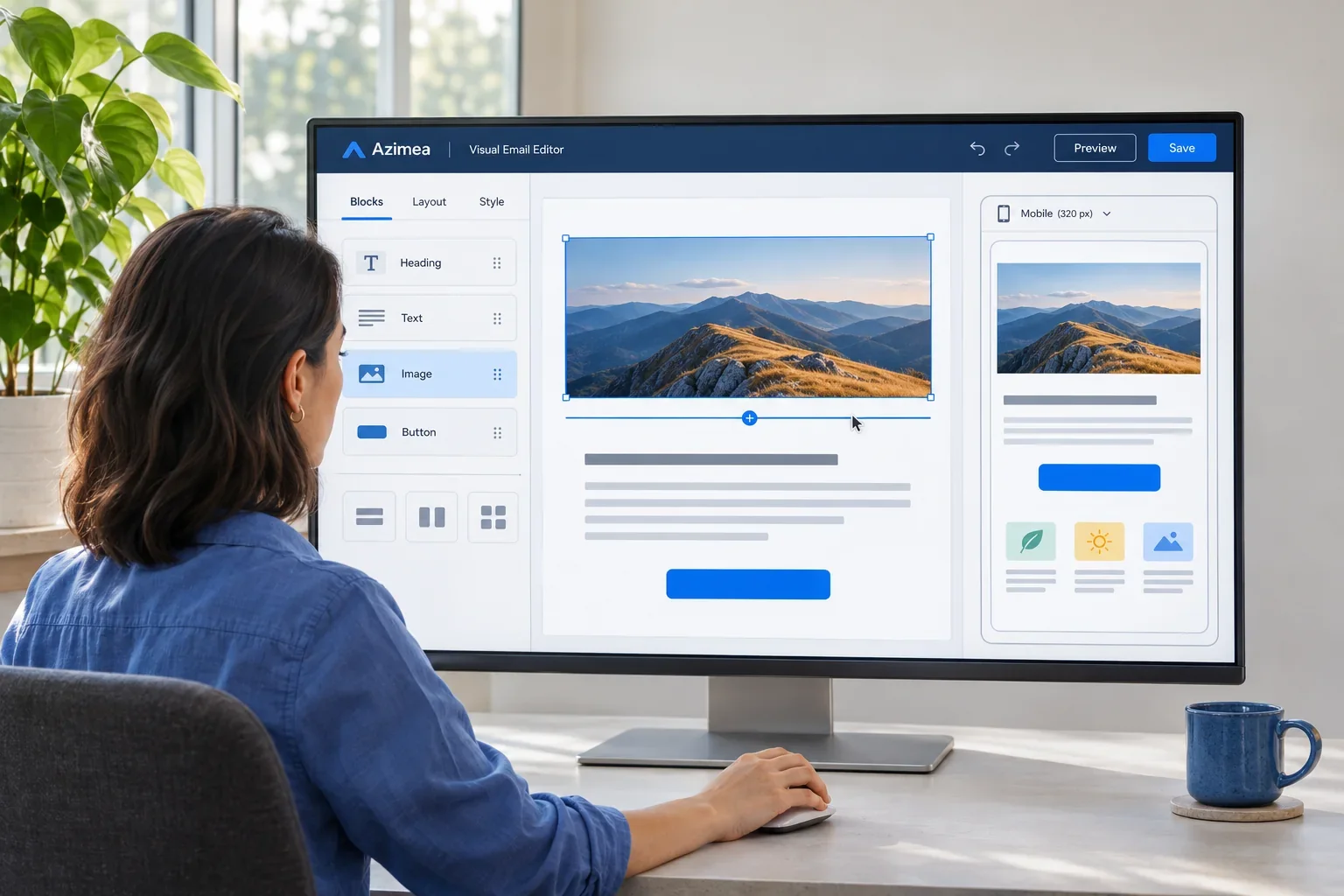
A no code visual email editor should do more than make email look presentable. It should help a small team turn a customer moment into a clear, on-brand message without waiting on a developer, rebuilding the same layout, or sending a generic blast to everyone.
That standard matters because email is rarely just one job. A marketing manager may be preparing a product announcement while an ecommerce operator needs a thoughtful cart reminder and a developer is connecting an account event to a transactional message. The editor sits in the middle of those workflows. When it is easy to use but disconnected from data, it creates prettier campaigns with limited relevance. When it is powerful but difficult to operate, the people closest to the customer cannot move quickly.
The right visual editor gives teams creative control, practical guardrails, and a direct path from audience data to useful communication.
What a no code visual email editor is meant to solve
A visual editor lets users build emails by arranging content blocks such as headings, images, buttons, product sections, dividers, and text. No HTML is required for routine campaign work. That is the visible benefit, but the real value is operational: marketers can create, revise, approve, and reuse messages without turning every change into a technical request.
For a growing business, that changes the pace of communication. A founder can prepare a welcome email that feels considered. A lifecycle marketer can update a post-purchase message after a policy change. An agency can adapt an approved template for several client segments while keeping each brand consistent.
No-code does not mean every email must be created by hand or that technical teams lose control. It means the common work is accessible. Developers can still connect customer events through APIs, SMTP, or webhooks, while marketing teams shape the message recipients see.
Start with reusable design, not a blank canvas
A blank canvas can feel liberating once. By the tenth campaign, it becomes a source of inconsistency and wasted effort. The strongest editors make reuse the default through templates, saved sections, and brand-aware building blocks.
Build blocks around real communication patterns
A reusable header, product card, testimonial section, event reminder, or support footer saves more than design time. It keeps familiar parts of the customer experience familiar. Recipients should recognize your emails before they read every word.
For example, an online retailer may use the same product module in a launch email, a back-in-stock notice, and a follow-up after a purchase. The imagery and call to action can change, while spacing, button treatment, and mobile behavior remain reliable.
Useful blocks should be editable enough for day-to-day work. If changing a headline requires duplicating an entire template, the system is not truly reusable. At the same time, essential elements such as required unsubscribe details or an approved footer should not be easy to remove by accident. Good editor design balances freedom with restraint.
Keep brand control practical
Brand consistency is not about making every message identical. It is about giving people a dependable visual language: approved colors, fonts, logos, button styles, and spacing choices. When those foundations are set, teams can spend their attention on the message and the moment.
This is especially useful for organizations with several contributors. A central library lets a marketing lead establish standards without becoming the bottleneck for every newsletter, event announcement, or customer update.
Design for the customer moment
The best email is not always the most elaborate one. It is the one that makes sense to the person receiving it. A no code visual email editor should make it simple to match layout and content to the purpose of the email.
A welcome email may need one clear next step and a short explanation of what subscribers can expect. A receipt should be direct, readable, and easy to scan. A cart email may benefit from the item left behind, but only if the timing and context justify a reminder. Sending three nearly identical nudges to someone who already purchased is not a customer journey. It is noise.
Visual editing helps here because teams can see hierarchy immediately. Is the key message visible without excessive scrolling? Does the primary button stand out? Is the supporting copy earning its place? A campaign can be technically correct and still ask too much of a busy reader.
Personalization needs useful data
First-name personalization is easy. Relevant personalization is harder. It depends on whether the editor can work with the contact fields, segments, and events your business actually has.
A SaaS company might show different onboarding guidance to a new trial user and an account owner who has invited a team. A membership organization might promote a local event only to nearby members. An ecommerce brand might exclude recent buyers from a product reminder or replace the product section with care tips after purchase.
The editor does not need to expose every piece of data in every campaign. In fact, that can create confusion. It should make approved fields and conditional content understandable, so marketers can use customer context without writing logic from scratch.
The editor should connect to automation, not sit apart from it
Campaign creation is only one part of email work. Many of the most valuable messages happen because a customer took an action, reached a milestone, or needs help moving forward.
Consider a customer who signs up for a software trial. A useful journey may begin with a welcome email, then offer setup guidance if they have not completed a key action, and later share a relevant feature tip. If they become active quickly, the messages should adjust. The flow is not a fixed sequence of promotions. It responds to what the customer has done.
That requires a visual editor that works naturally with visual automation. The same approved blocks and templates used in campaigns should be available inside workflow emails. Teams should be able to preview dynamic content, test conditions, and make a change once rather than maintaining separate versions in separate tools.
Platforms such as Azimea bring campaign editing, automation flows, contact data, and transactional delivery into one working environment. For teams that have outgrown disconnected tools, that can reduce duplicate work and make it easier to maintain a consistent customer experience.
Mobile preview and testing are part of the work
Most email will be read on a phone, often between other tasks. A desktop layout that looks polished can become crowded or confusing on a small screen. Responsive behavior cannot be an afterthought.
A capable editor should provide mobile preview, sensible stacking for columns, readable type, and buttons that are easy to tap. It should also help teams test before sending, because rendering can vary across inboxes and devices. A test send is not merely a final ritual. It is where broken links, awkward line breaks, missing images, and unclear calls to action become visible.
For transactional and event-triggered messages, sandbox testing adds another layer of confidence. Teams can verify that the right event passes the right information into the right template before a real customer depends on it.
Choose control over unnecessary complexity
Not every business needs the same editor. A company sending a monthly newsletter may prioritize templates, collaboration, and simple reporting. A product-led SaaS business may need event data, conditional blocks, APIs, and test environments. An agency may care most about organized asset libraries and repeatable client workflows.
The trade-off is worth acknowledging. More flexibility can mean more decisions, more permissions to manage, and more training. A highly constrained editor may be faster for occasional senders but frustrating for a team with sophisticated lifecycle needs. The best choice is the one that fits the messages you send now and the customer moments you expect to support next.
When evaluating an editor, look beyond the drag-and-drop experience. Ask whether it supports reusable assets, accurate audience selection, mobile quality, approvals, automation, testing, and reporting. Also ask who can edit what, how unsubscribe preferences are handled, and whether your customer data can move into and out of the system cleanly.
A polished email matters. So does the discipline behind it: send only when you have something useful to say, make the message easy to act on, and let customer context guide the next conversation.

